• We are a multilingual website again. Read the notice about this.
  • Understand AI use at MyPTSD: all AI use is explained in our AI help page. AI use is by choice here. It exists if you want it, but does nothing unless you choose to use it.

Using The Profile Pop-up: Report, Ignore, Follow, Or Start A Conversation

Status
Not open for further replies.

joeylittle

Sponsor
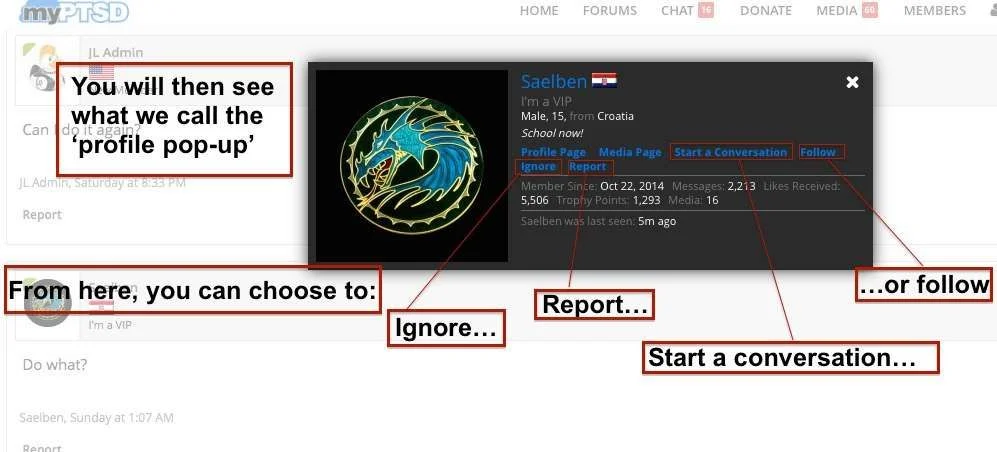
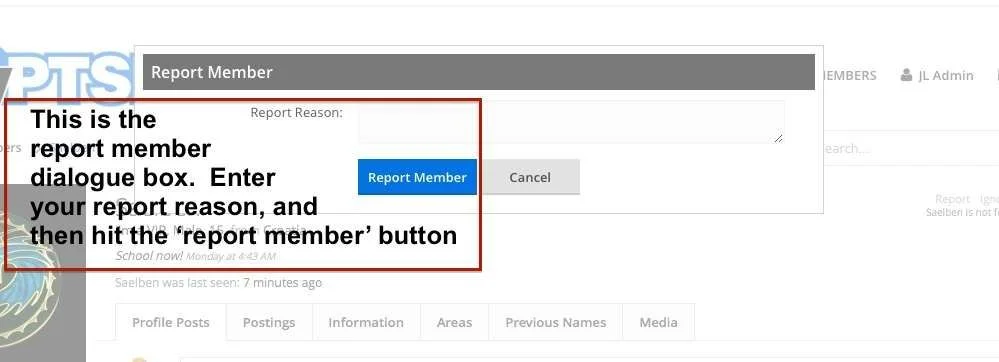
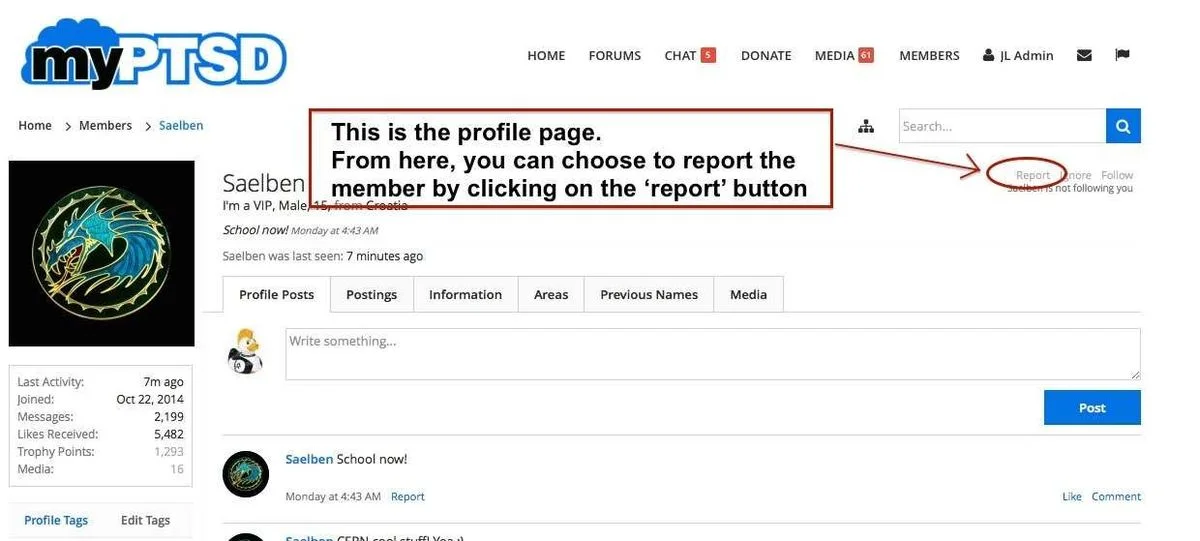
The report feature is accessed most quickly from the profile pop-up. Once you are on the profile pop-up, you can take yourself to not only report but also to ignore, follow, or start a conversation. The series of images in this first post will show you how to Report
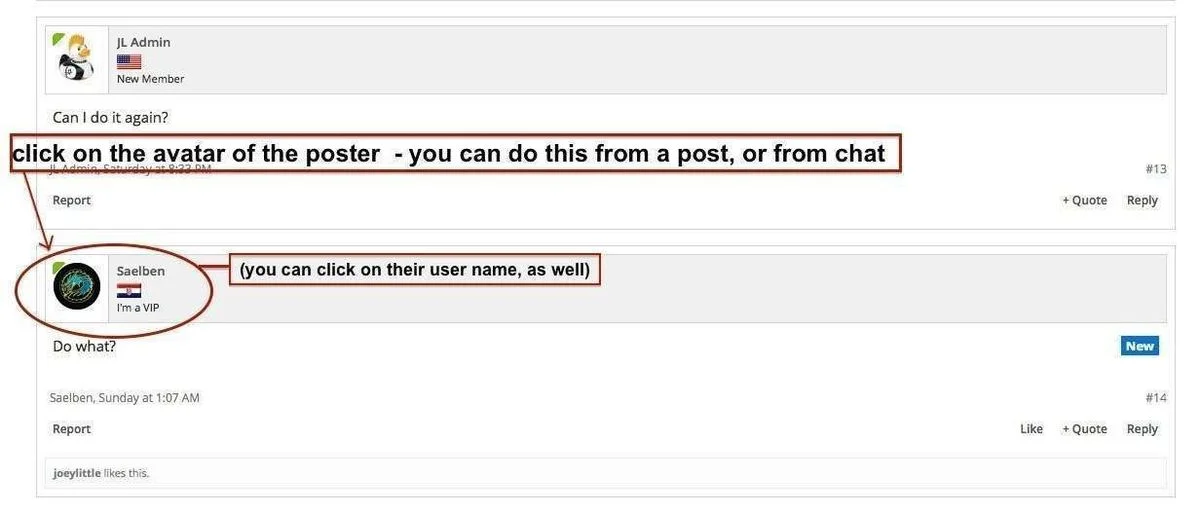
post copy.webp
profile popup .webp
report member box.webp
a profile page.webp
 
Last edited:
This post will outline how to initiate Ignore or Follow from the profile pop-up.

Start, as we did for Report, by clicking on a user's avatar

follow or ignore profile popup .webp

follow and ignore part 2 .webp
 
Last edited:
This post will outline how to Start A Conversation.

Start, as we did for Report, by clicking on a user's avatar.

conversation profile popup .webp
anatomy of a conversation.webp
 
Last edited:
Perhaps with an add on of how to report members who have chosen not to have their profile pages accessible? Unless it's possible to add 'report' to the profile pop up?

I think it's only an issue if chat content needs reporting, otherwise reporting the post itself is an option.
 
Status
Not open for further replies.

Donation drives

2026 Donation Goal

Goal
$1,800.00
Earned
$910.00
This donation drive ends in
0 hours, 0 minutes, 0 seconds
  50.6%

Trending content

Featured content

Back
Top Bottom