
- Admin
- #1

anthony
Founder
The first question you have is, what is a responsive style?
Well, the answer is quite simple. A responsive style is a web design style that singularly caters to desktop, table and mobile screen sizes.
PTSD Forum will be getting a new look by the end of this year / beginning of next year. Basically, when I've got it done, I've got it done.
There will be subtle changes to the look, however; I will attempt to replicate the look and feel as much as possible to what it is now, which will remove any issues for functionality / use. The site won't be obtaining anything new, or losing anything, other than catering for tablet and mobile devices without the need for an app.
The following images show a demonstration responsive layout for Xenforo software. As the screen (browser width) decreases in size, the style changes to suit the device width, i.e. dropping and changing useless content to minimise clutter on smaller screens / changing of widths between landscape and portrait on a tablet.
You can play with the example yourself to understand this, by viewing: [DLMURL]http://www.artodia.com/forum/[/DLMURL] and decrease your browser width / view the URL with a tablet / mobile device. Single style, views differently based on the device width viewing it.
Desktop
Tablet Landscape (Notice the sidebar width decreases)

Tablet Portrait (Sidebar is now underneath, in a menu that requires touch to view)
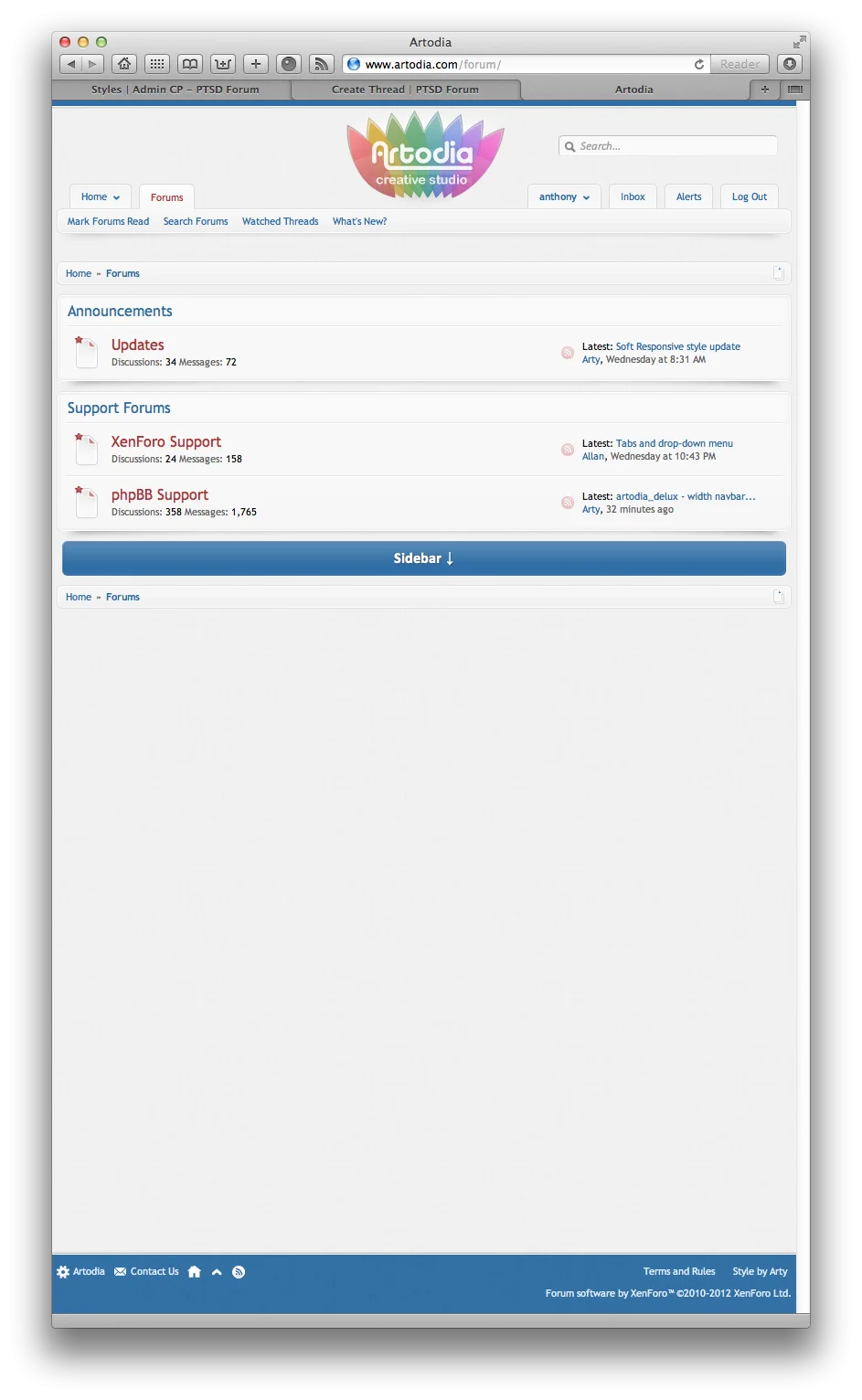
Mobile (Navigation also collapses into a single menu)

Well, the answer is quite simple. A responsive style is a web design style that singularly caters to desktop, table and mobile screen sizes.
PTSD Forum will be getting a new look by the end of this year / beginning of next year. Basically, when I've got it done, I've got it done.
There will be subtle changes to the look, however; I will attempt to replicate the look and feel as much as possible to what it is now, which will remove any issues for functionality / use. The site won't be obtaining anything new, or losing anything, other than catering for tablet and mobile devices without the need for an app.
The following images show a demonstration responsive layout for Xenforo software. As the screen (browser width) decreases in size, the style changes to suit the device width, i.e. dropping and changing useless content to minimise clutter on smaller screens / changing of widths between landscape and portrait on a tablet.
You can play with the example yourself to understand this, by viewing: [DLMURL]http://www.artodia.com/forum/[/DLMURL] and decrease your browser width / view the URL with a tablet / mobile device. Single style, views differently based on the device width viewing it.
Desktop
Tablet Landscape (Notice the sidebar width decreases)
Tablet Portrait (Sidebar is now underneath, in a menu that requires touch to view)
Mobile (Navigation also collapses into a single menu)


